I’m so grateful to work for such an incredible company as Automattic. Not only are they already very flexible around working schedules and time off (which has been incredibly helpful this past year), but once you’ve been at the company for 5 years you are encouraged to take a 2 – 3 month paid sabbatical. And that’s completely disconnecting: no Slack, no email, no communication, no work events. Just do whatever you want that’s not work related (psst, we’re always hiring).
I’ve now been at the company for 5 and a half years, and after the year that was 2020 I’m very happy to be starting my sabbatical at the end of today, to recharge and unwind.
Here are some things I’m hoping to do with the time away:
Disconnect! I’ll certainly be disconnecting from anything work related, but because of that I’ll also be spending far less time in front of a computer.
Spend time with family. I’m looking forward to spending more time with my young kids and my wife, as well as catching up on a lot of lost time from the past year with our extended family.
Get fit! I started making an effort to get fit again earlier this year, but then I got ill for a couple of days and fell off the rails. Three months feels like a good amount of time to make a big dent here though, eating better and exercising regularly.
Be more creative. I’d like to make some time to do some more creative endeavours, like writing and drawing.
Get away. Back when my wife and I first started discussing my sabbatical a couple of years ago, we had ideas of travelling around northern Europe; Sweden, Norway, Finland, Denmark. But with the pandemic still ongoing, we figured it would be easiest to stay close to home. We’re got some breaks planned around the UK, to Devon, the Lake District, and York.
Ride. I recently got an electric bike, which I’m really enjoying riding. I’d like to do some longer local rides!
Gamedev. Game development has long been an aspirational hobby of mine, and I’ve made some small games and entered game jams in the past. I’ve started getting back into it over the last few months, and while I do want to take more time away from the computer I’d also like to continue learning and building some small games.
Sleep. I haven’t been getting anywhere enough sleep recently (not because of work, I’m just terrible at going to sleep at the right time). The Apple Health app tells me that my average time asleep over the last month is 5 hours, so I’d like to improve that.
Home improvements. Just some DIY tasks to do around the house that I always put off because the weekend’s never long enough.
And I think that’s enough! I don’t want to busy myself too much with goals, as the whole point is to take time out and unwind, but I also don’t want to look back and the end and feel that I wasted the time. I’ll report back when I return to work in late September!
I’ve always been interested in game development. Some of the first code I ever wrote was typing BASIC game listings out of books into my BBC Micro and modifying them to fit my own ideas. Then came Windows 3.1 and countless hours noodling around with Klik N Play, followed by DarkBASIC on Windows 95 or 98.
Ten years ago I entered the popular Ludum Dare game jam (creating a game in just 48 or 72 hours). I made a tiny Indiana Jones-esque temple escape game called Daring Do, which unfortunately isn’t playable today as I used ActionScript and Flash as my technologies of choice and we all know how that ended up. Nonetheless, I ranked #16 out of 90 entries which I don’t think was too bad as my first ‘proper’ effect.
Recently I’ve wanted to get back into doing some game dev as a hobby. I’m only really interested in 2D right now as it’s just where I have more interest. I’ve dabbled with Unity a couple of times in the past but I’ve never built anything of much substance, so I’ve decided to spend a couple of weeks getting to know what’s possible with some of the most popular game engines out there today:
I’m planning to take up to a week getting to know the basics of each engine, then build a very small 2D platformer – which can literally just be one or two screens. At the least I’d like to get an understanding of:
How good their 2D support is (and in particular pixel art support)
Creating a basic character controller
Importing assets, creating tilemaps, and animating sprites
Scripting and communicating between different components
Support for effects like 2D lighting, shaders, and particle effects
This first week I’ve been looking at Godot, and I’ve really been loving it so far. More soon!
There are several screen mods available for the original Game Boy1. Just like with the Game Boy Advance there are IPS screens available, which give you the best image quality. You can also keep the original screen but add a backlight to it, which is what I opted to do. This is much cheaper, and also gives a result closer to the look of the original display.
Supplies
The first thing I needed was a Game Boy! My brother and I had a yellow ‘Play It Loud’ edition when we were younger, which came bundled with a yellow Donkey Kong Land game cartridge. Unfortunately while I have our original games, I’ve been unable to find the Game Boy itself – so I bought another on eBay:
Except for needing a bit of a clean and having a few small scratches on the screen, it was in very good condition.
Next, I picked up a ‘lemon yellow’ backlight kit from Deadpan Robot, as well as a bivert chip. Just adding a backlight makes the screen brighter, but it also washes out the picture. A bivert chip inverts the pixels and in turn increases the contrast. It’s recommended to install one if you’re adding a backlight.
The Mod
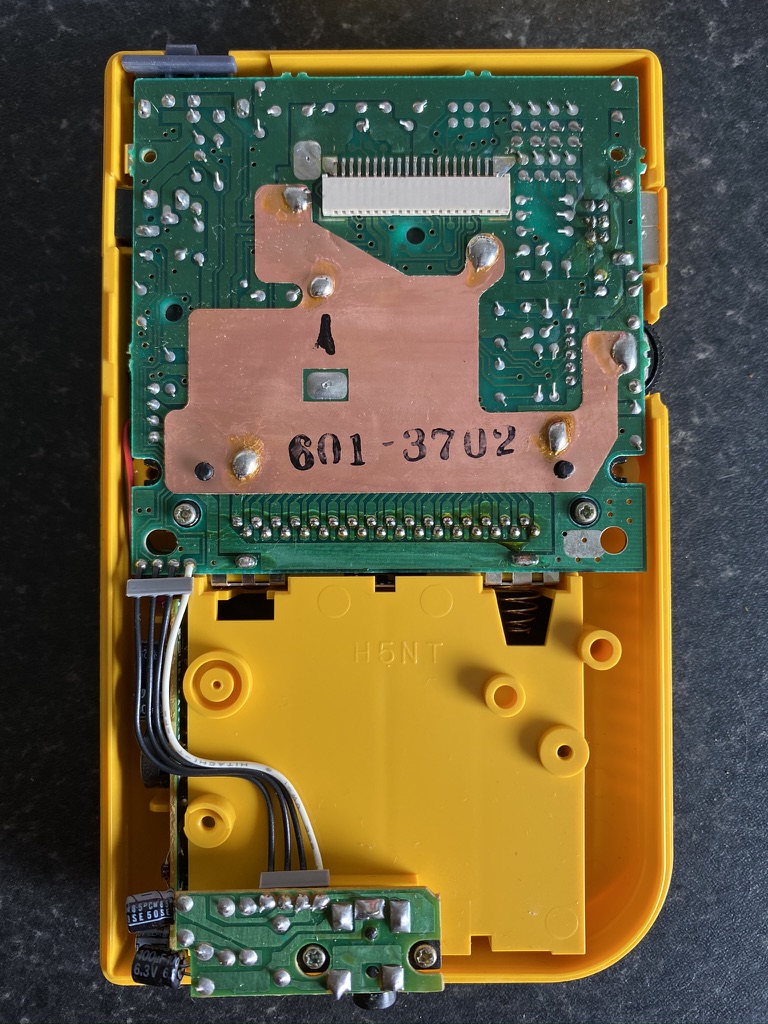
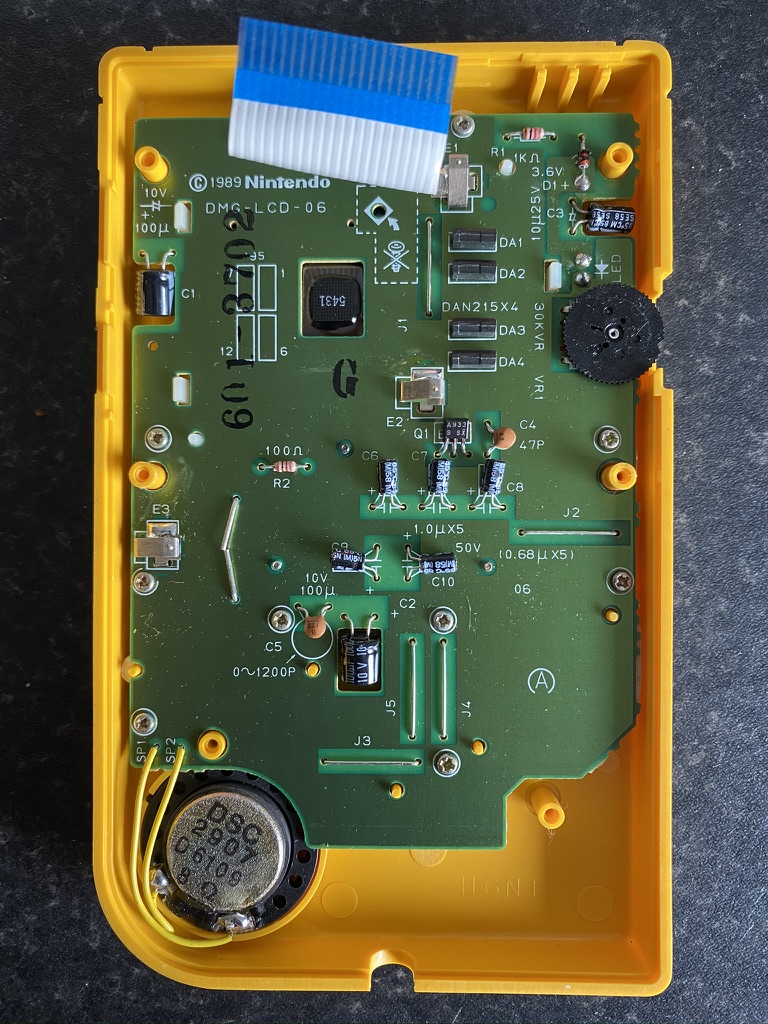
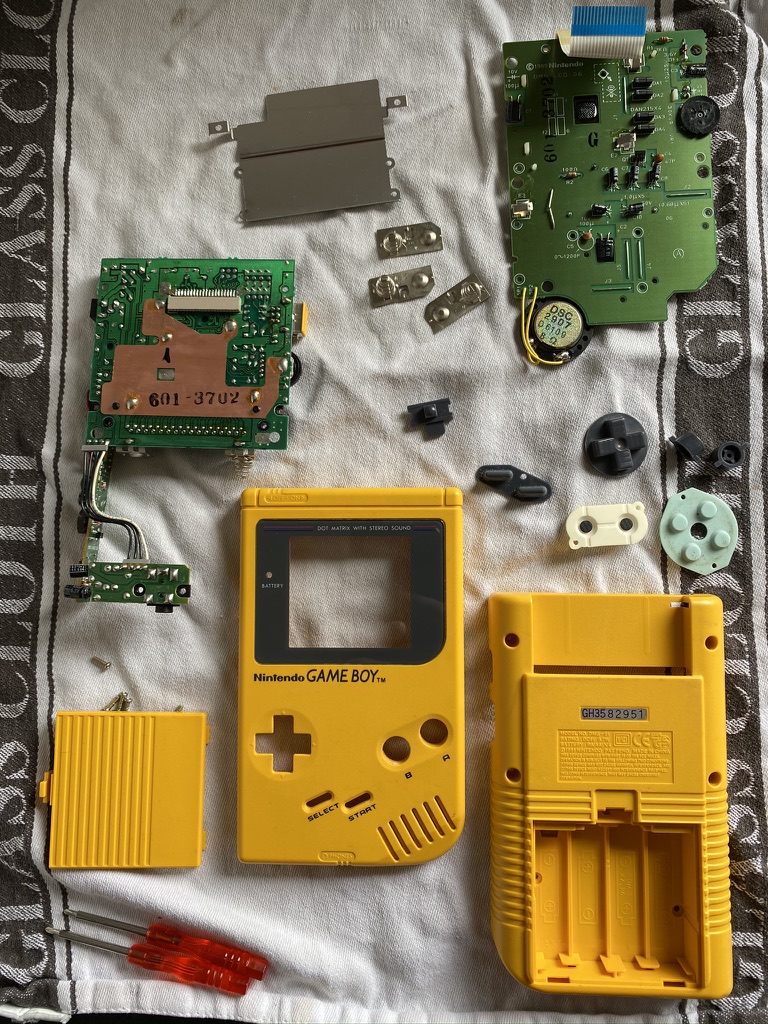
The first step was to disassemble the unit. I also washed the casing, buttons, and silicon pads with mild soapy water.
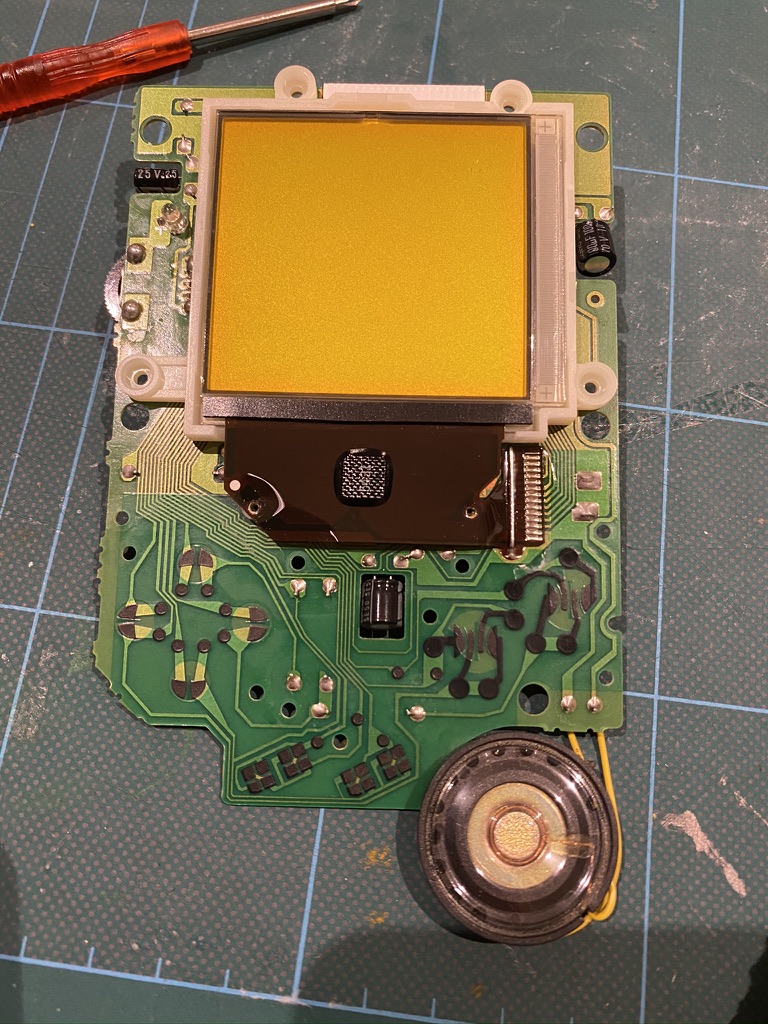
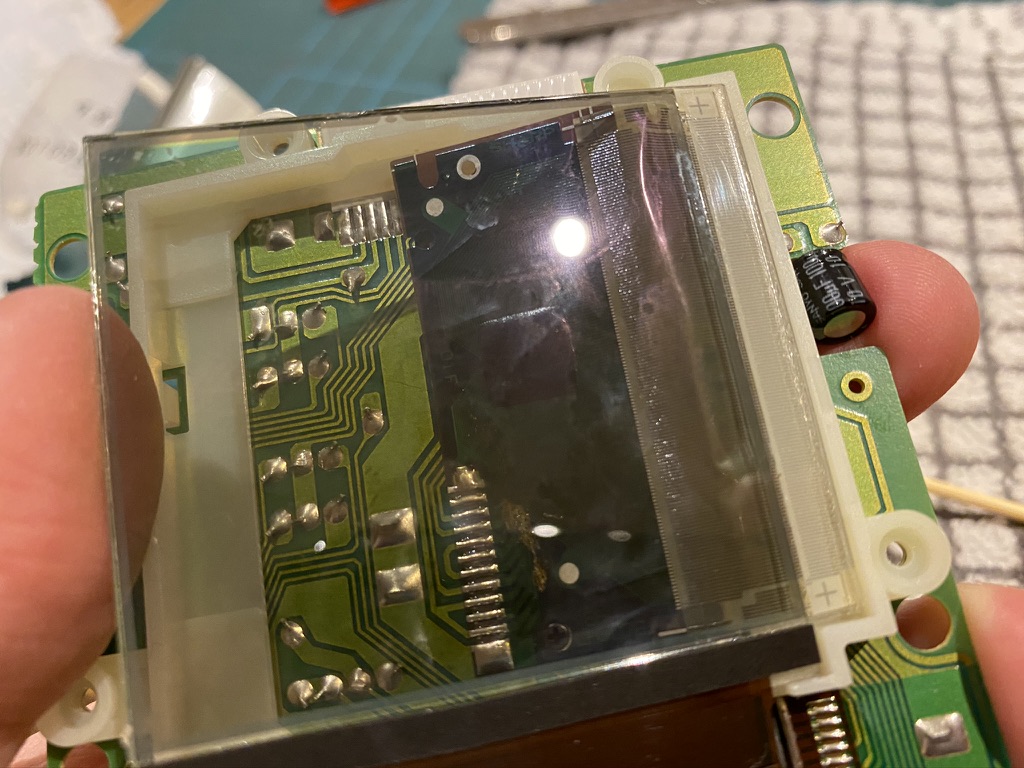
And here’s the screen itself:
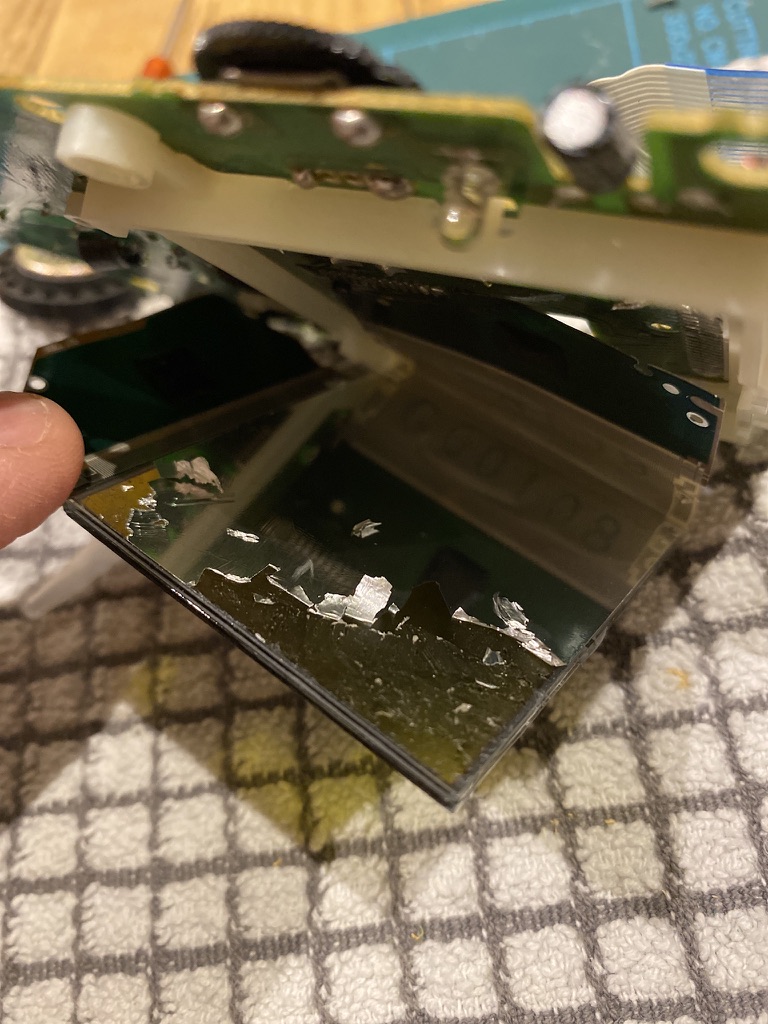
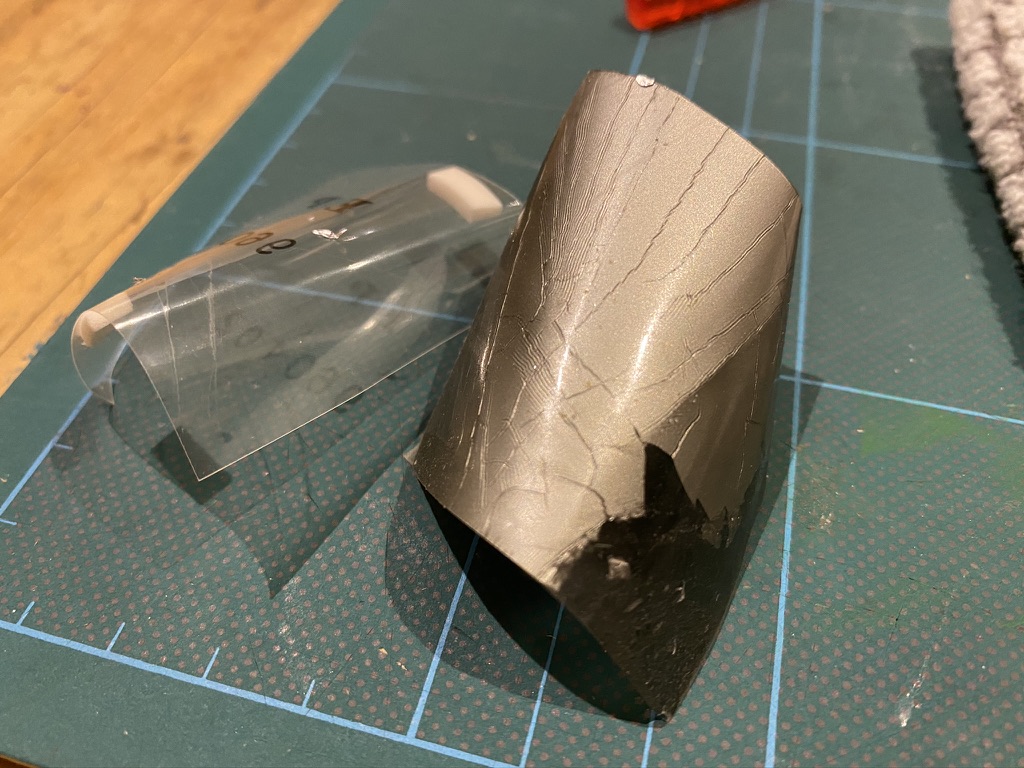
To install the backlight unit, you first need to remove the existing reflective backing and polarizer from the screen. This proved to be quite tricky. At first I was just scraping the foil off, nervous of damaging the screen, but then I got more confident and managed to get a craft knife underneath the polarizer layer. This made it easier to peel the whole thing off in one go.
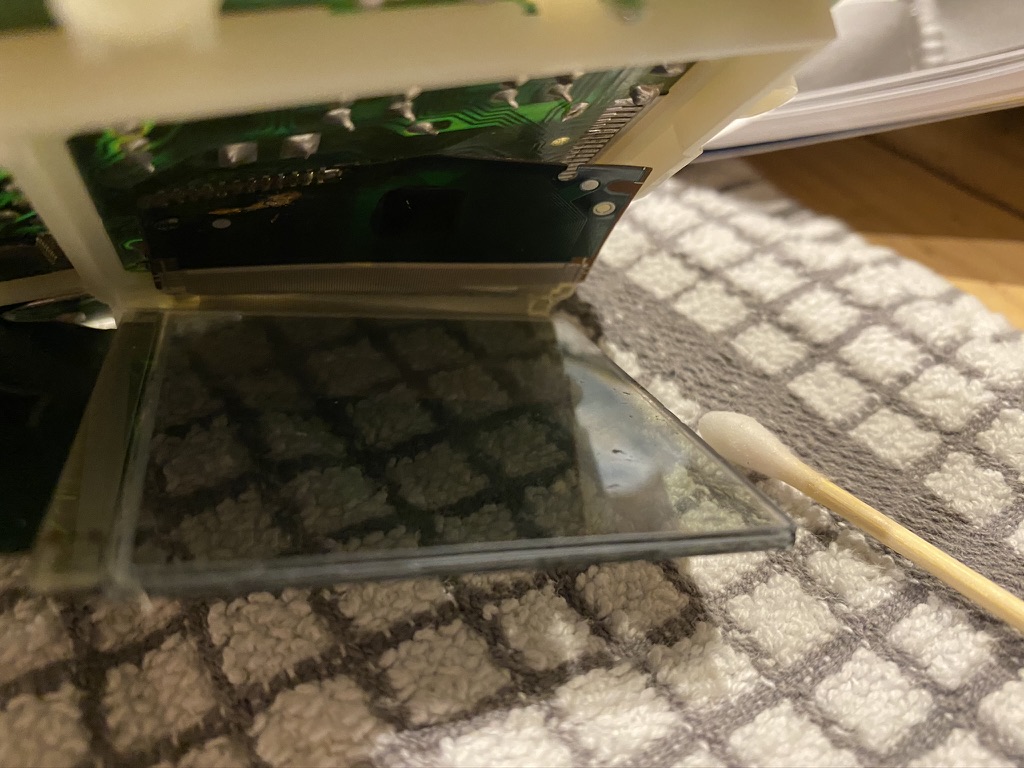
The thing that makes it particularly difficult is that the screen remains attached by a very delicate ribbon cable, so access is tricky. After peeling the polarizer off, I cleaned off the remaining glue with some isopropyl alcohol.
The new backlight panel (a piece of plastic with some LEDs attached to the bottom) slides in behind the LCD, and the polarizer goes in between. You have to make sure the polarizer is rotated the right way so that the pixels will be visible. The guide I was following also recommended lightly dusting the polarizer with baby powder or diatomaceous earth to avoid it sticking to the screen.
Finally, the two wires coming from the backlight panel needed soldering to the main board along with a resistor.
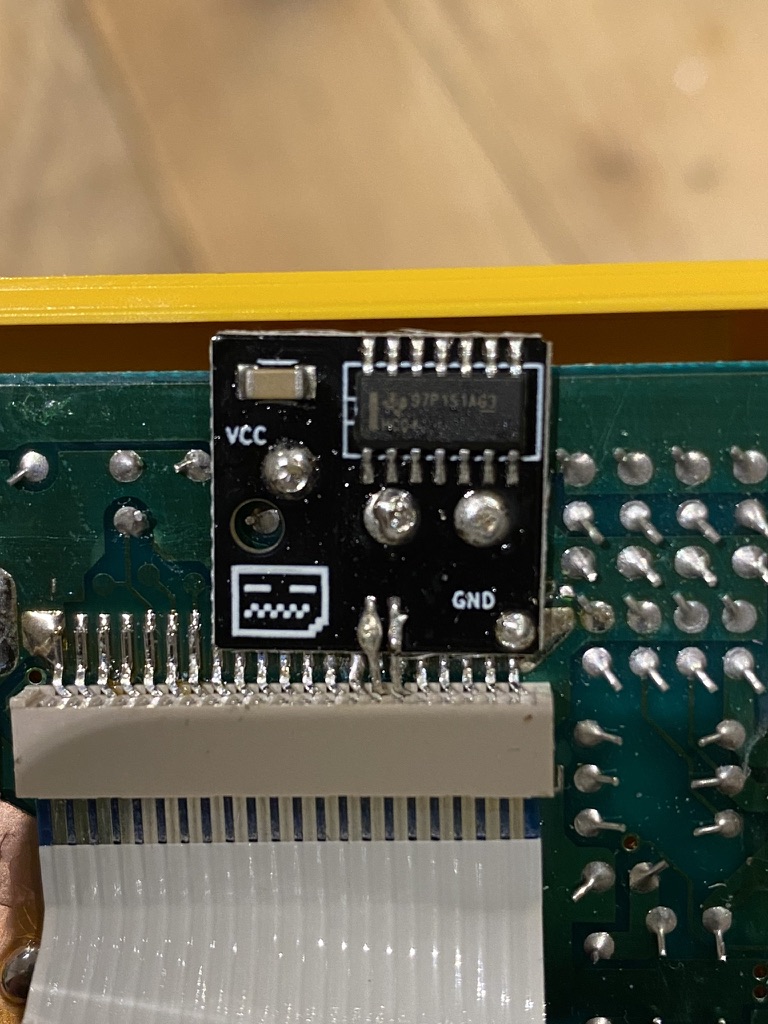
Next, I installed the bivert chip. To do this, you need to desolder and disconnect two pins on the screen cable connector, insert the board underneath, and resolder it. At first I miscounted and lifted the wrong pin, so I tried resoldering it as best I could, crossed my fingers, and finished the installation.
In red, the correct pins, in yellow, the one I accidentally lifted.
The installed bivert chip, bad soldering and all.
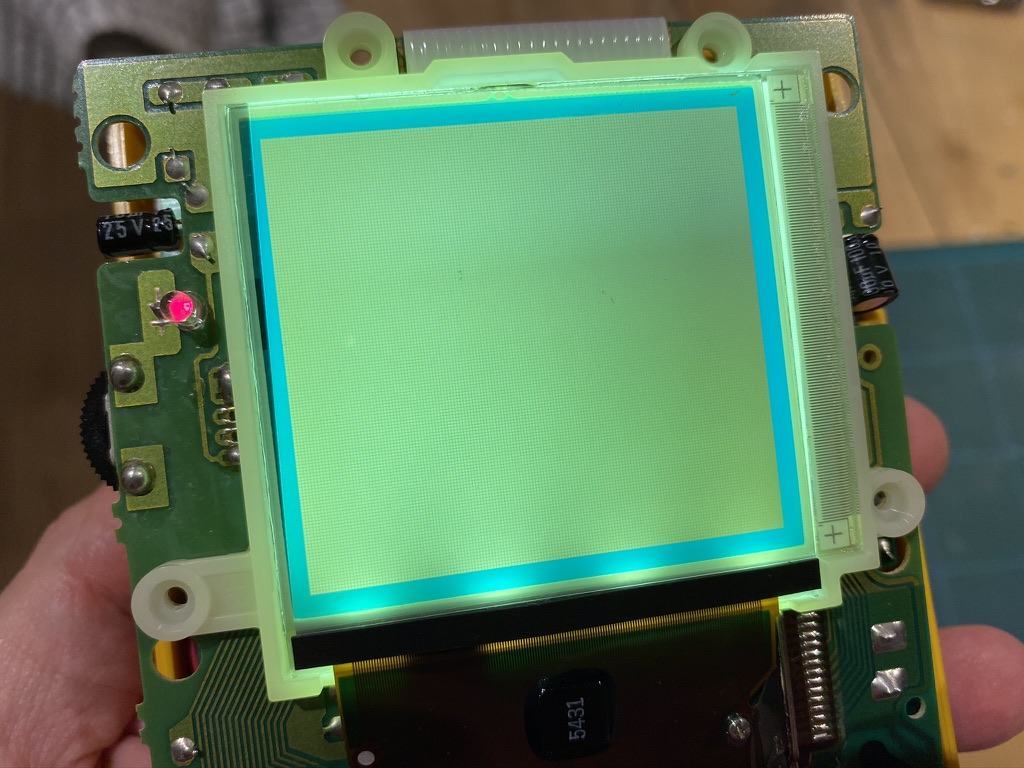
I powered it up and there was light! But no picture 😬
Troubleshooting
I knew the Game Boy as a whole was still working correctly, as I could hear the audio for the game. I guessed that the culprit was either my shoddy soldering on the bivert chip (turns out soldering is harder than I remember!), or I didn’t repair the damage correctly when I lifted the wrong pin.
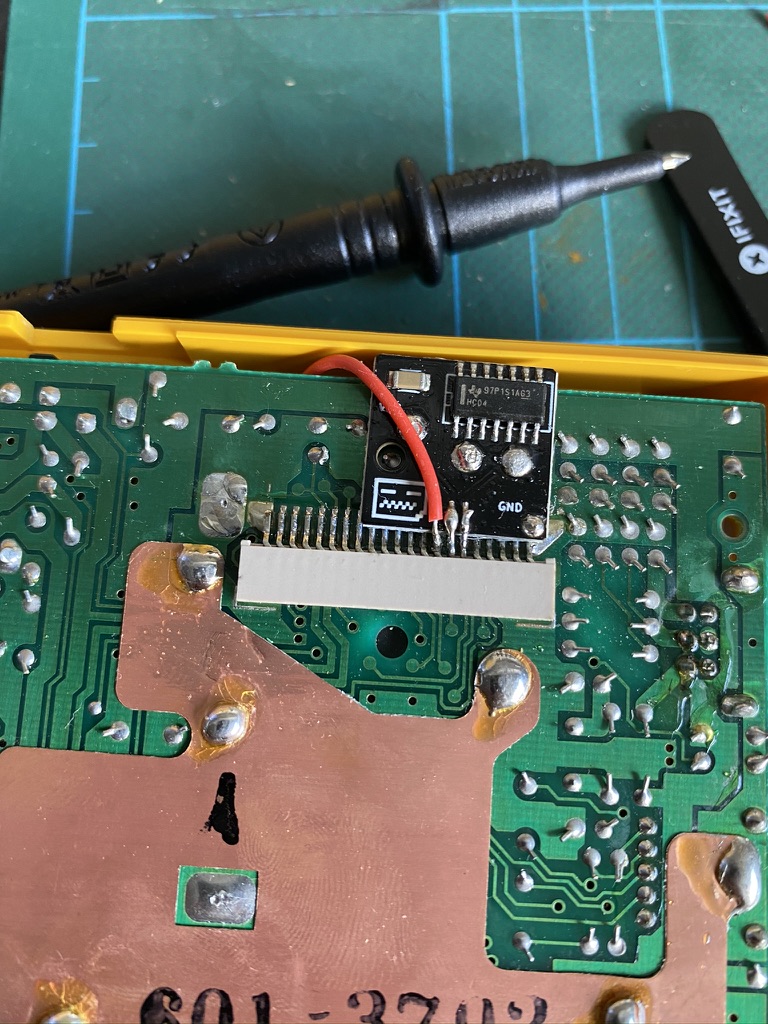
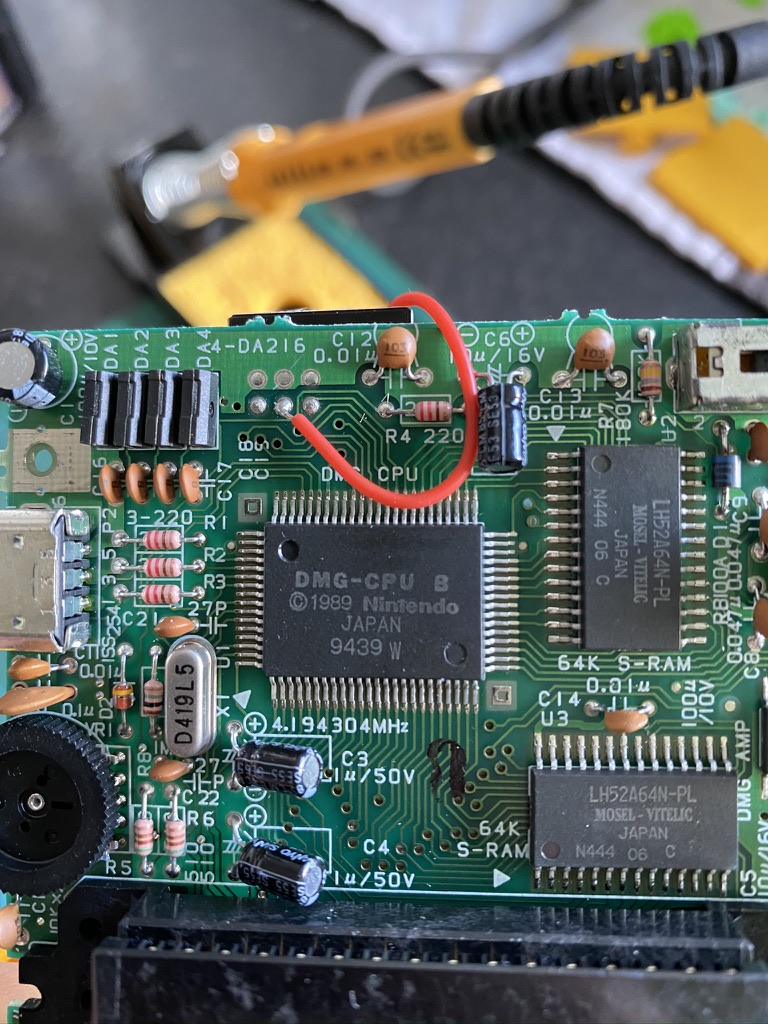
It turned out to be a combination of both. After some testing with a multimeter (and a lot of help from @SofaRacing and @elsmorian), I discovered that one of the solder connections on the bivert board wasn’t making contact properly (so I re-did it), and also that there was no connection between the pin I lifted and its intended destination.
To work around this I added a new wire that ran from the pin, over the top of the board, to the other side. I couldn’t help but think about the similarities with writing software as I was debugging the issue and fitting my workaround.
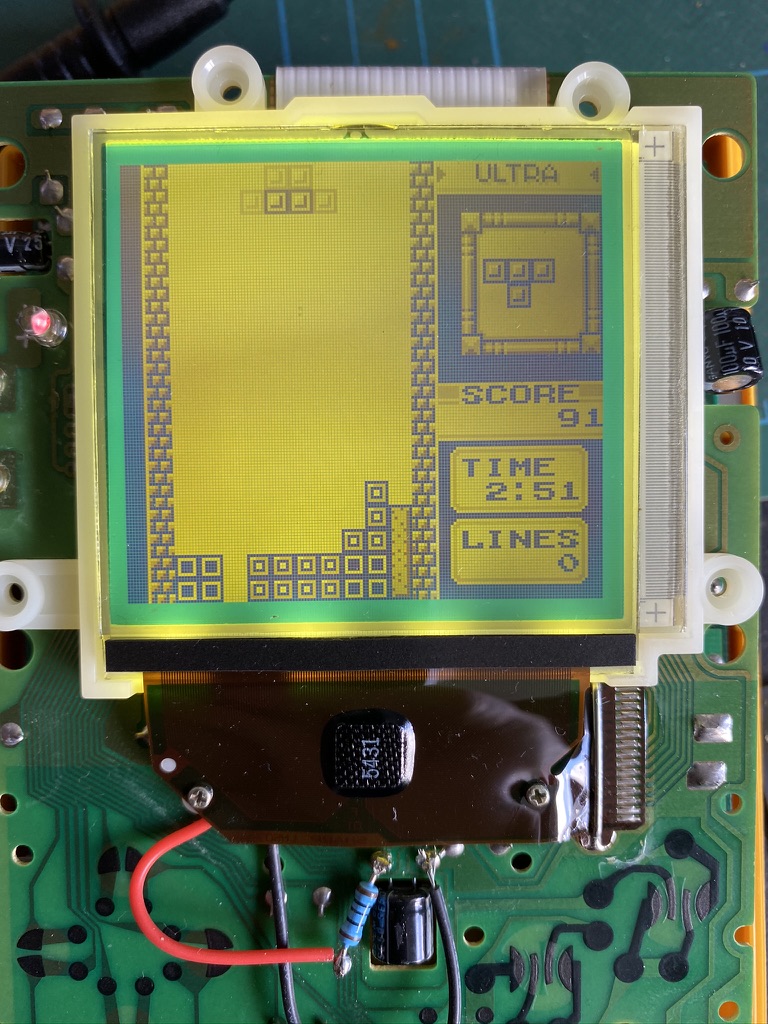
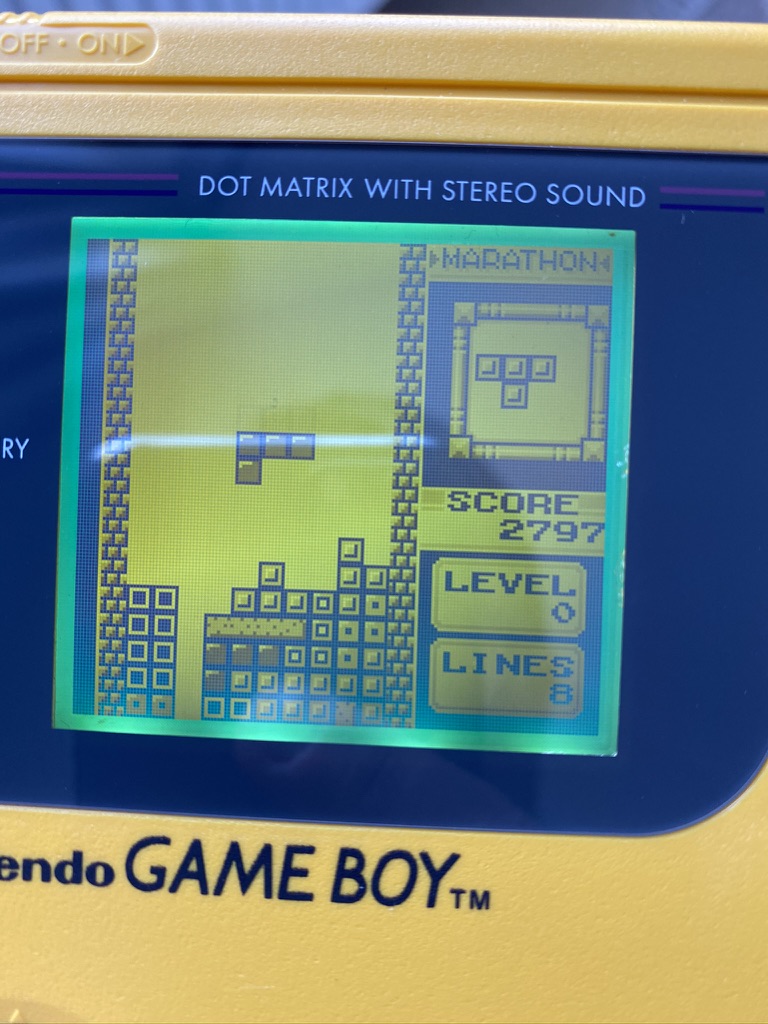
I turned the unit back on, and there was a picture! Tetris looked great with the backlight:
Wrapping up
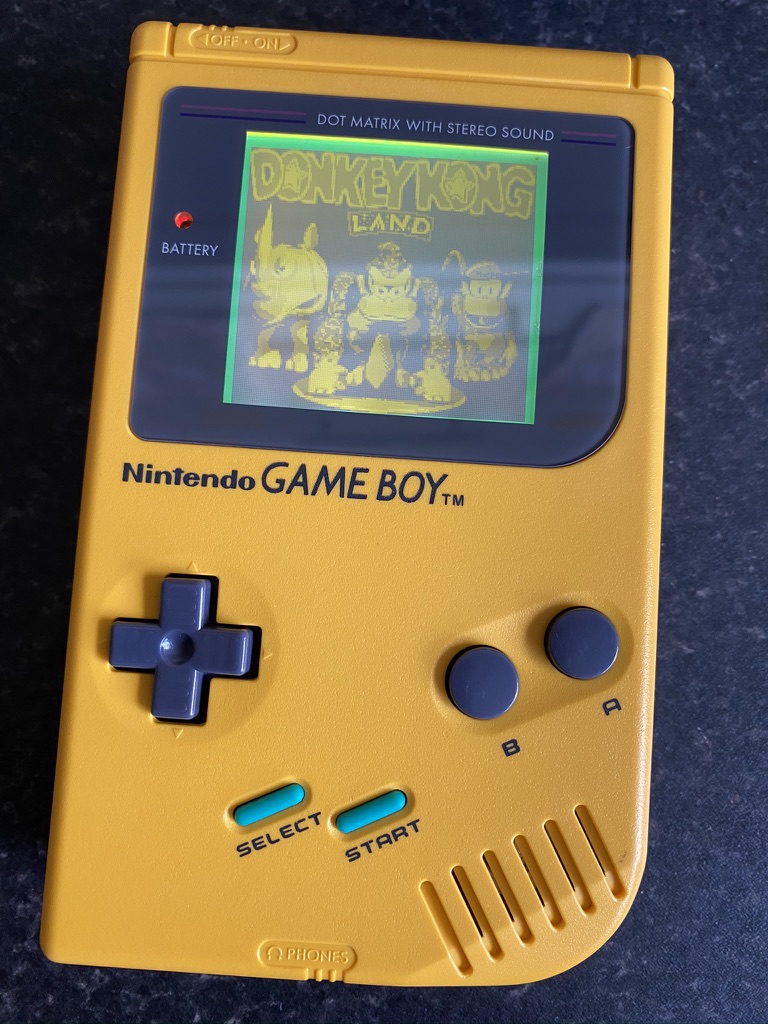
I finished things up with a new glass screen lens, and new start and select buttons to match the cyan border around the screen.
It wasn’t the neatest installation, but I was pretty happy for my first attempt. The finished device looks great.
Also known as the DMG because of its model number: DMG-01. DMG stands for Dot Matrix Game.↩
I recently picked up a new screen and outer shell for my original Game Boy Advance.
The original Game Boy Advance screen is so dim that it’s hard to see it property even in a brightly lit room. I remember as a kid mostly playing with a special external light that clipped around the case. It had two arms that shone light down onto the display. Even with that, it still wasn’t great!
It also has a kind of ‘screen door effect’ between the pixels, so it looks pretty grainy.
I still love playing retro games from time to time, so I recently kitted out my Advance with an upgrade.
There have been a number of screen mods available for the GBA over the years. For a long time, the best improvement was to switch the screen out for the backlit screen that’s used in the Game Boy Advance SP. More recently, a better alternative has emerged: a large, even brighter IPS LCD panel.
The larger LCD requires some areas of the inner case to be cut out to make space for it. I didn’t fancy trying to do that, so I ordered a special pre-trimmed shell from RetroSix, along with the screen kit. RetroSix manufacture their own GBA shells ready for the new LCD (they said most aftermarket shells aren’t very high quality), along with optional modifications to fit a USB-C battery pack. If you’re in the US, I’ve heard that Retro Modding are a good parts supplier.
Installation
Installation involved opening up the Game Boy, disconnecting the screen and discarding the old shell, connecting the new screen, mounting it with adhesive and a 3D printed bracket (to get the correct positioning), screwing it all back together, and installing a new glass lens over the top.
RetroSix’s own instructions were fairly barebones, but I found a couple of different tutorials online that helped to guide me through it. The most problematic parts were:
Correctly aligning the screen when installing it. Now that it’s complete, I can’t help noticing that it’s a fraction of a millimetre down on one side.
Installing both the screen and the glass lens without getting any dust in between them. I did a decent job, but I can see one tiny speck under there. I think compressed air could help here.
The 3D printed bracket wasn’t super precise. I had to file down some parts of it, and I ended up removing one piece altogether as it was pressing into the back of the screen and causing a light area to appear.
Overall though, I’m very happy with the outcome!
Screen++
The screen is just in a different class to the original. It’s really bright, very clear, and has nice vibrant colours. The RetroSix shell is also very good, although I wouldn’t say quite the same quality of the original – it doesn’t feel as solid, perhaps. I love the gold holographic detail on the screen lens.
Here’s some very short videos showing each screen in action:
Before…
And after!
It’s also possible to solder in a couple of extra wires to allow for setting the brightness level of the screen by holding a couple of buttons down. I don’t currently own a soldering iron, so I’m saving this for another day!
A Short Hike is a small and delightful game in which you hike to the top of Hawk Peak provincial park. Follow the trails or go off the beaten track, meet other hikers, find some collectables, and just unwind for a couple of hours.
It has really charming 3DS-style low resolution graphics and a fantastic chilled out soundtrack. A lovely little experience!
Lonely Mountains: Downhill bears some similarities to A Short Hike: it’s a quiet experience where you make your way down a variety of picturesque mountain trails. Only this time, you’re on a bike. There’s no music – the only sounds that accompany you are the sounds of nature and your bike carving across the terrain.
The difficulty curve is really well done. Your first time on each trail, you just have to get to the bottom of the mountain. Then, you might have to do the same trail but with a time limit, or a limited number of crashes (and you will crash a lot). Then an even tighter time limit or even fewer crashes. For each challenge you complete you’ll unlock extra bike parts, trails, and mountains. As you get to know each mountain you’ll find extra routes to take to shave seconds off your time and you’ll get more confident with the fantastic controls.
Outer Wilds (not to be confused with The Outer Worlds, which came out around the same time) took a little while to grab me, but once I got into it I was captivated. It’s now easily one of my favourite games that I’ve ever played.
You play as the latest astronaut to join Outer Wilds Ventures, a budding space agency on the small planet of Timber Hearth. You climb into your rickety wooden spaceship and jet off into space. There’s no mission given to you and it’s up you to explore the solar system however you like. You could visit Brittle Hollow; a crumbling planet with a black hole at its center, Giant’s Deep; an ocean planet covered in perpetual storms, or perhaps the Hourglass Twins; a pair of planets that orbit one another as sand pours from the desert of one onto the rocky landscape of the other. As you travel, you’ll uncover the history of the Nomai – an ancient raced who lived here before you, hundreds of thousands of years ago.
And then, 22 minutes after you set out, the sun explodes. You wake up back at the start of the game, ready to set out on your maiden voyage. 22 minutes later, the sun will explode again. You’re stuck in a time loop, and you’re the only one who knows it’s happening. Your leisurely wandering suddenly takes on more meaning: can you uncover the secrets of the solar system, and find out why the sun is exploding and your day keeps repeating itself?
I don’t really want to share much more, as the whole joy of the game is in the discoveries you make along the way. However I will say that the ending of Outer Wilds is an experience will stay with me forever.
Finally, Control is an action game set inside The Oldest House, a building that warps time and space which is home to the Federal Bureau of Control – a branch of government tasked with investigating the paranormal and the unexplained.
As you enter the building, you discover that it’s been invaded by a hostile force. It’s up to you to learn the build’s secrets, find out exactly what the Bureau has been up to, and to take back control. Along the way you pick up a very satisfying array of paranormal activities such as levitation and telekenesis. By the end of the game, you feel like a complete badass. There’s one particular late-game sequence that really lets you show off your skills and it’s one of the best set pieces I’ve ever played in a game.
No-Knead Bread, from the New York Times, is my new favourite bread recipe. I’ve been prepping the dough mix just after lunchtime, leaving it for around 18 hours, and then finishing and baking the following morning. Super easy, and has produced a perfect loaf each time I’ve made it so far.
I’d suggest following the written recipe rather than the video, as the video seems to miss out a couple of steps. I also used baking parchment to let the dough rise before baking instead of tea towels, as I didn’t trust it not to stick.
Last year, I switched my primary email account away from Gmail to Fastmail. I’m very happy that I did.
Last year, I switched my primary email account away from Gmail. I’d been considering making this change for some time, and I’m very glad I finally did it.
Why switch?
I was increasingly bothered by Google storing all of my emails, which contain so much personal information. I didn’t want adverts to be pushed at me alongside my email. And for a service like email, I feel better if I can pay for it to support the provider through a revenue system that isn’t targetted ads.
Also, I use custom domains for my email, and setting that up with Gmail on iOS and macOS has always been a pain. In third party apps like Outlook you can add aliases, but the system mail apps can be tricky. And even if you do get it configured, it’s often added to the email header in a way that makes it clear it’s being sent on behalf of your @gmail.com address. I want to own my email address!
Enter Fastmail
I didn’t really research many options when I chose a provider. I’d heard great things about Fastmail, so that was the first and only place I went.
Fastmail is an independent Australian company that simply offers email services in exchange for money. This is great! It means they’re focused on running the service and making it better in order to keep receiving more money and provide a better service for their users. They’re big on open source and open standards – they just helped with the JMAP specification to replace IMAP, which enables them to provide a more modern email experience.
I really like their straightforward core values: their customers are customers, not a product; your data belongs to you; they’ll look after your data; and they’ll contribute to open source and improving email for everyone.
The Service
The first thing I was struck by was the quality of their experiences. Both their web and mobile apps offer a really clean user interface, and wow is it fast. They really earn their title. It feels to me, in a good way, like the ‘old’ internet, before everything was built on top of teetering piles of JavaScript. Pages load so quickly that they feel like static web pages. The UI is uncluttered, functional, easy to use, and very responsive. Through their work on the JMAP standard, they’ve recently added nice-to-have features like ‘undo send’ and snoozing emails.
I was also very surprised by their mobile apps. I’m an iOS app developer and an app snob, and if I’m honest I tend to look down on ‘non-native’ apps that use web technologies. I’m almost certain that Fastmail’s app isn’t native (it doesn’t feel native), but I really like it. It’s fast and clean and just works. It also offers one of my favourite features for any email client: I have the options to both archive or delete any given message. Many apps only give you one or the other of those options at a time.
The app also provides push notifications, and they’re incredibly fast. There have been numerous occasions where both my wife and I have been sent an email, and the Fastmail app will tell me about it tens of seconds before my wife’s Gmail app does.
Migrating to Fastmail
The process of migrating over to Fastmail was very simple. They have a migration tool where you can simply enter the credentials for your existing email service. They then begin importing all your emails into the correct folders, and they’ll let you know when it’s finished.
They also offer helpful guides to configuring your DNS settings to point your MX records to their mail servers, if you wish to do so.
No regrets
I’d recommend Fastmail in an instant to anybody who wants ownership of their own email. I feel like I am now in control of my own data. I’m also able to configure things like custom domains and spam filtering however I like.
I’d love to take this further by also moving away from Google for web search, but I’ve still yet to encounter another search provider that gives me the results I want to see. Last time I tried, Duck Duck Go still wasn’t there yet and I’d regularly have to go back to Google to find what I needed. For now, I perform most of my searches in a private browsing instance.
A couple of weeks ago, I attended the first ever Hacking with Swift: Live! conference in Bath, England. Helpfully, Bath is less than an hour away from where I live so it seemed like a great opportunity to attend a conference while still getting to see my family. And it was fantastic!
If you’re not familiar with Hacking with Swift, it’s a website run by Paul Hudson. Paul is a one-man tutorial machine. I have no idea how he produces so much content. He’s written 15 books on Swift and Apple’s platforms, and his website contains a ton of free articles, tutorials, and videos all about Swift. His SwiftUI content has been really helpful, and again I don’t know how he created so much of it so soon after WWDC.
Hacking with Swift: Live was Paul’s first attempt at running this conference and I think it was a huge success. The venue was modern, clean, and bright, the wifi worked excellently, and the food was really good. There were around 200 attendees which felt like just the right number to me. The format of the event was a little different than other conferences I’ve attended before.
Day 1
Day 1 was quite standard conference fare, with 8 talks from some fantastic speakers: Cory Benfield (Apple), Kelly Hutchinson, Kilo Loco, Ellen Shapiro, Sally Shepard, Daniel Steinberg, John Sundell, and James Thomson. I particularly enjoyed:
Cory’s explanation of an easy place to get caught out in terms of performance with Swift’s copy-on-write behaviour.
Ellen’s talk about the Swift package manager, and using Swift scripts and tools to improve your development life.
Daniel’s talk, which cleverly walked through a SwiftUI example by calling out which Swift Evolution proposals were responsible for which pieces of syntax, and explained how they worked.
James’s history of easter eggs in Apple’s software.
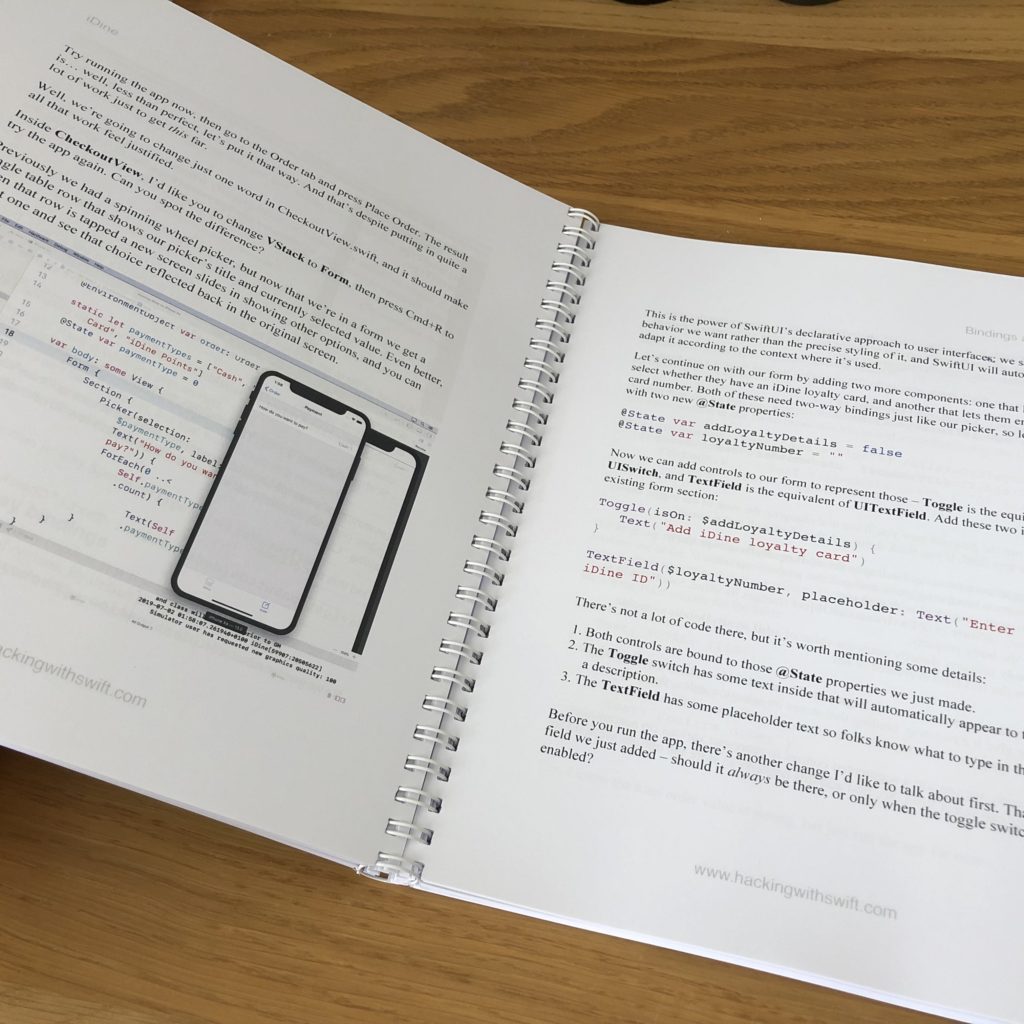
Day 2 was one big workshop. Paul literally wrote a book just for the conference, with 3 large example apps covering most of the big iOS 13 features. We then spent the day following along on our laptops as he led us through each tutorial. It was great to get a chunk of dedicated time working through a real example using the new features.
I particularly enjoyed the morning, which was all SwiftUI. I have to say I have been somewhat skeptical about SwiftUI up until this point (these kids and their new-fangled technologies, what’s wrong with the way we do it now? grumble mumble), but using it for a couple of hours… wow is it quick and convenient to build a UI and preview it.
The SwiftUI demo app we built
The other standout new pieces of API were diffable data sources (they clean up so much code!) and compositional collection view layouts.
A good cause
All of the proceeds from Hacking with Swift: Live went to charity. The conference supported Special Effect, a charity that “puts fun and inclusion back into the lives of people with physical disabilities by helping them to play video games”. It seemed like a great cause, and the conference was able to donate $30,000!
Summary
Paul ended the conference by talking about ‘the bigger picture’. How code brought us all together, but it’s not the most important thing in any of our lives, and how we should think about the difference we can all make in the wider world. He also said how proud he was to bring everybody together to his home town, and brought his family onstage to say they were his reason for doing everything he does. I may have cried a little 😅.
I really enjoyed the event and felt like it could’ve easily been a few days longer (although just two days was quite nice as it limited time away from home). I’m keen to go back next year if they hold it again!
Oppo, one of the biggest phone manufacturers in China and owner of OnePlus (who make the popular 6T) recently released some phones in the UK. I needed a new Android test device so I picked up an RX17 Pro to see a different perspective – I’ve only really used stock Android before.
2018 was the first year I’ve managed to consistently track the games I’ve been playing throughout the year. I’m using a Trello board to track games I want to play (Unplayed), am playing (Playing), have played (Beaten), or gave up on (Abandoned)1.
Rather than writing a list of ‘top games’ of the year, and inspired by a couple of my colleagues (#1, #2), I thought I’d instead simply post a summary of the various games I played in 2018 and what I thought of them. I’ve highlighted my favourites with a ⭐️.
Shadow of the Colossus is easily one of my my favourite games of all time. It’s so simple, yet does such an incredible job of conveying the atmosphere of its empty world. The remaster takes an old game that had really clunky performance, and makes it look and play like a dream.
Celeste is an outstanding indie game, and a deserved contender on a lot of top games of 2018 lists. I got so into it that I stayed up into the early hours of the morning playing the last couple of chapters all in one sitting. I just couldn’t put it down.
I’ve been playing Splatoon 2 multiplayer since it was released in 2017, but I finally finished up the single player ‘campaign’ at the start of the year. It was fine, I guess? The boss fights were the best part, but I think the main multiplayer modes of Splatoon are good enough that it’s not really necessary.
I absolutely loved my time with Tropical Freeze. It’s hands-down one of the best 2D (with 3D graphics) platformers ever made. Really inventive, nicely challenging, great to play, and the levels are full of life.
Wow. Hollow Knight is my favourite game that I played this year, and is instantly one of my favourite games of all time. It just has so much atmosphere, and it’s great at drip-feeding you abilities and giving you a rush when you realise you can now access some previously inaccessible area. I still shudder when I think about Deepnest…
A cutesy, fun little puzzle game. However, I found that I got bored about halfway through, and there wasn’t enough variety in the levels or mechanics to keep me interested.
Probably my second favourite game of the year, after Hollow Knight. It’s an open world game, but the developer didn’t feel the need to make the world too big, or cram it full of too much stuff. It’s managable, in a way that a game like Assassin’s Creed isn’t. I’ve almost 100%ed the main game, which is something I never normally bother to do.
A Metroidvania with a digging mechanic. It has quite a tight little gameplay loop, with you revisiting the surface regularly as you dig deeper and deeper, but it didn’t really ever completely suck me in.
I didn’t enjoy this as much as I’d hoped I would. It looks lovely, and it has a nice atmosphere, but it’s very slow and the ending comes out of nowhere.
I really enjoyed Breath of the Wild, but I haven’t been back since I beat Ganon. I started the DLC earlier this year and had a good time with it, but I haven’t played in quite some time. I think it might be tricky to pick it back up. It has a lot of overworld exploration and tasks, which is great for me as I didn’t really enjoy the game’s shrines (and I only ever bothered completing a fraction of them).
I’ve really enjoyed God of War so far. In particular, the opening hour or so is like something straight out of a Marvel movie. But for some reason I keep falling off it and I still haven’t got round to finishing it.
After playing quite a lot of Dark Souls, I now see what all the fuss is about. The world, the atmosphere, the combat, the thrill and relief when you finally find a bonfire after attempting an area time and time again. But I put it down to play other games and I haven’t come back yet. The oppressive atmosphere and high difficulty isn’t generally what I’m looking for when I just want to relax with a game in the evening.
I’ve never finished a Pokemon game. I started with Pokemon Red on the Gameboy, and I’ve picked up a few others along the way – Black, Y, Soul Silver… but I’ve always lost interest quite early on. I’ve got a reasonable way through Let’s Go, and it’s a wonderful update of the original Pokemon Yellow… but I’m very close to dropping out yet again. I think at some point I might just have to accept that I don’t find Pokémon battling very interesting.
One of the best things I’ve played this year, and one of the best things I’ve played in VR. Astro Bot Rescue Mission has Nintendo-levels of whimsy, character, and innovation. A must-have if you have PSVR.
I’ve been unsure whether to pick this one up for some time. I’m a big Zelda fan, but I didn’t know whether I’d like the Musou gameplay. Turns out I do! It kind of operates on two levels – the battlefield management sometimes gets quite stressful, but the moment-to-moment fighting is actually quite mindless and relaxing. Plus it’s just amazing Zelda fan service.
Wandersong is a wonderful (or should that be WANDERful?), original indie title where you play a bard and interact with the world entirely through singing. I put it down for a bit while waiting for a bugfix to be released, but I can’t wait to get back into it and wrap up the story.
The Rest
I picked up a handful of games on the Switch that I’m not actively playing, but I’ll probably continue to dip into now and again: Stardew Valley, Dead Cells, Flinthook, Immortal Redneck, and Hand of Fate 2. I’ve also started but completely abandoned a couple of games, including the Horizon Zero Dawn: The Frozen Wilds (I absolutely loved Horizon Zero Dawn, but I left it way too long to get back into it and I just feel like I’m done with that world), and Bayonetta 2 (completely not a game for me. I really really don’t like the gameplay or the aesthetics).
So: 12 games beaten, 8 still on the go, and a handful abandoned. 2018 was a great year for games, and for me once again it was dominated by the Switch.
Hat tip to Shaun Inman’s Unplayed lists for the original inspiration for this categorisation. ↩